Circlly / Products
Product designA little signal. A lot of peace of mind.
Designing a clearer way to check in, share a journey and ask for help within a trusted circle.
Visit Circlly (opens in a new tab)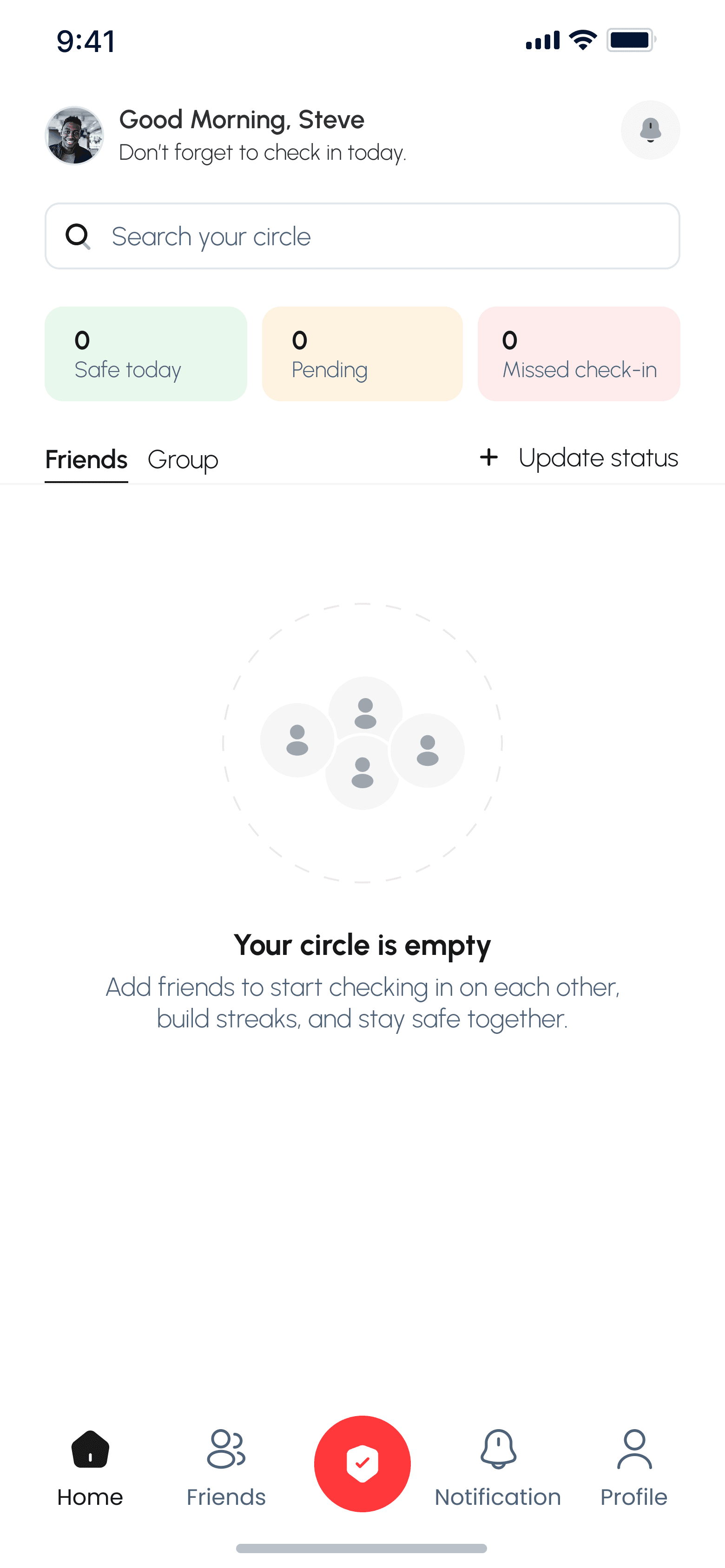
02 / Problem
Care should feel easy to send and clear to receive.
A quick ‘are you okay?’ can turn into repeated calls, vague messages or unwanted location sharing. Circlly explores a calmer way to keep a trusted circle informed, with ordinary check-ins and emergency help treated as different moments.
As co-founder and product designer, I shaped the mobile flows and interface. These Figma screens show the design direction; they do not establish which features are live or any measured safety outcome.
03 / Key decisions
The choices you can see in the work.
Make a circle feel useful from day one
Show the empty state and the active circle clearly.
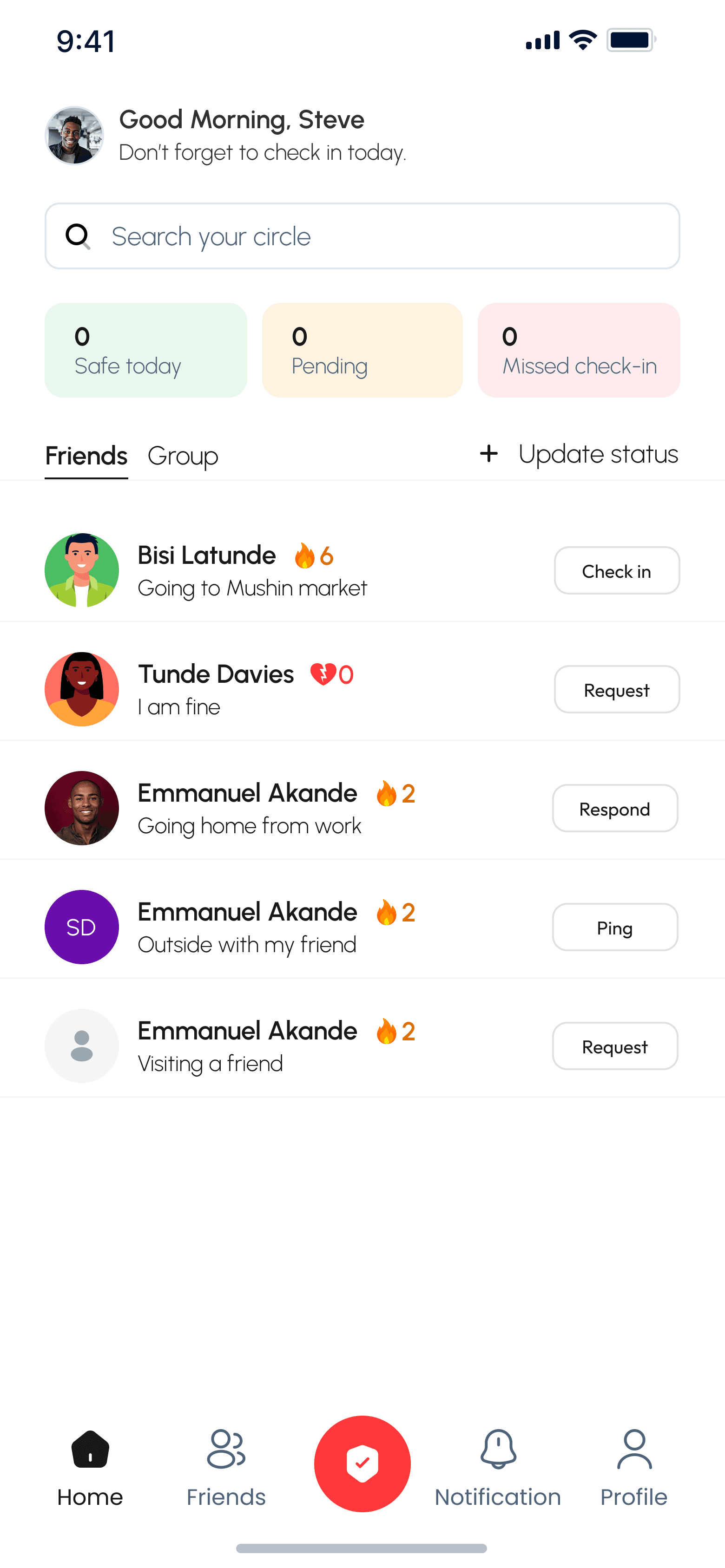
A first-time visitor sees what to do; a returning visitor sees people and their latest status.Keep the everyday signal small
Put safe, pending and missed check-ins at a glance on Home.
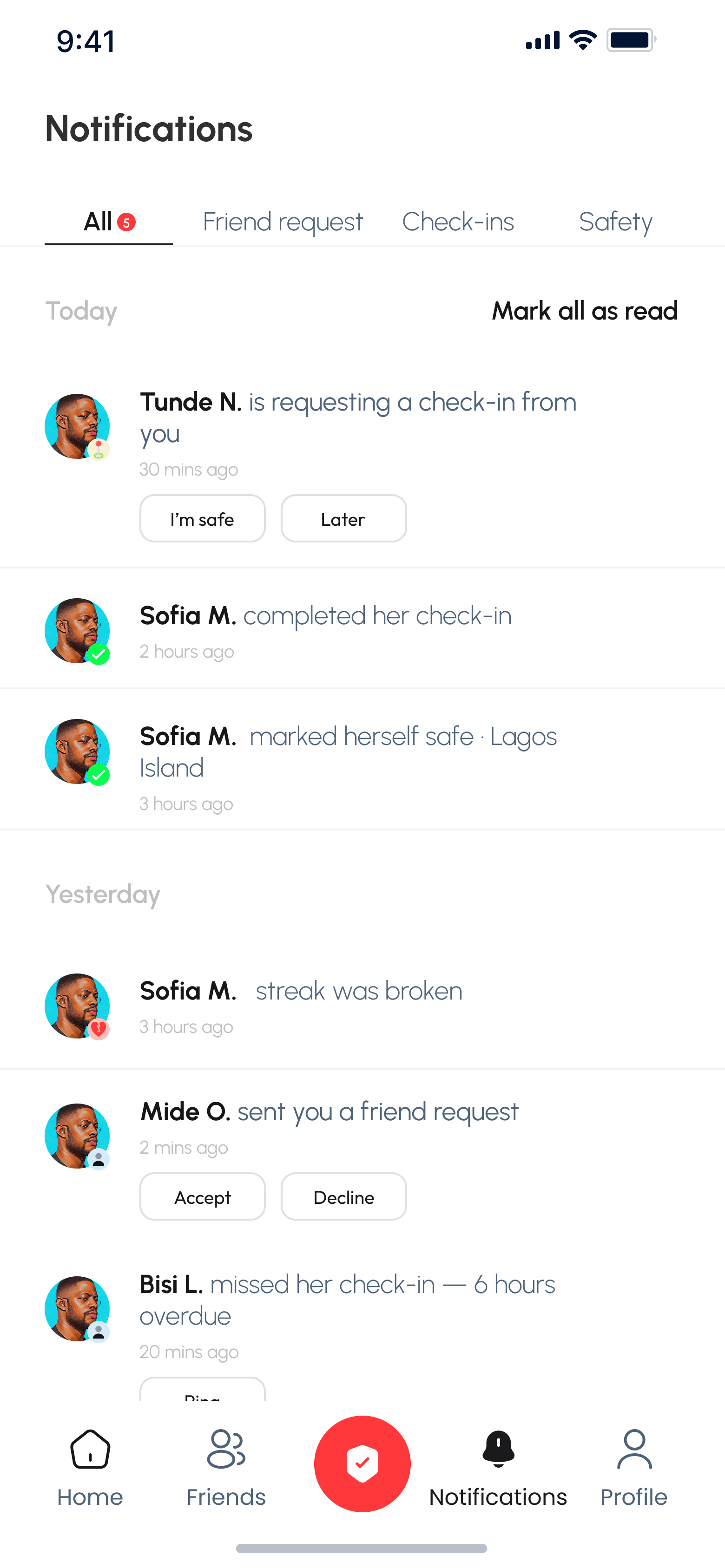
A status update or check-in request stays close to the people it concerns.Separate an SOS from a check-in
Give emergency mode a distinct hold-to-activate step and clear location-sharing copy.
The SOS designs explicitly share live location; the consequence needs to be visible before activation.04 / Solution
A small signal, with a clear path for more serious moments.
Selected Circlly Figma screens. Select a screen to see more detail.
First, bring your people together.
The empty state points toward adding people. Home then becomes a compact view of the circle and its latest check-ins.
An everyday check-in stays simple.
The status sheet separates ‘I’m safe’ from a journey update. Notifications then show requests and completed check-ins in context.
Share the journey’s status.
A going-somewhere update tells the circle where someone is headed and when to expect a check-in, followed by a clear confirmation.
Emergency mode asks for intent.
The SOS path warns about live GPS sharing and uses a hold gesture to reduce accidental activation. Its active state stays visually separate from the regular app.
05 / Outcome / reflection
The product direction is visible. The impact is not yet measured here.
The designs connect circle setup, everyday check-ins, journey updates, notifications and SOS into one experience. They are design evidence, not claims about adoption or emergency response.
What I take forward
Trust comes from showing what a signal will do. A routine check-in can stay light; an SOS needs explicit consent and unmistakable feedback.
Visit Circlly ↗ (opens in a new tab)